![MS_Master_Horizontal_Reversed (1).png]](https://help.merchantspring.io/hs-fs/hubfs/MerchantSpring%20Logos/MS_Master_Horizontal_Reversed%20(1).png?height=30&name=MS_Master_Horizontal_Reversed%20(1).png)
Download the Amazon Activity Summary Statement for the exact store and period you want to compare. In MerchantSpring, open the same store and use the same dates, currency and filters.
Select the matching viewFor current Amazon deferred Activity Summary reporting, select Deferred in MerchantSpring. Settled and Deferred use different timing, so comparing one against the other can create a variance even when both are correct.
Compare like for likeCheck that you are comparing the same total or line item. Product-level profit and channel-level profit have different expense coverage and should not be expected to match.
If the result still differsProvide MerchantSpring Support with the store, date range, selected view, filters, Amazon export, MerchantSpring screenshots/export, and the expected and actual values.
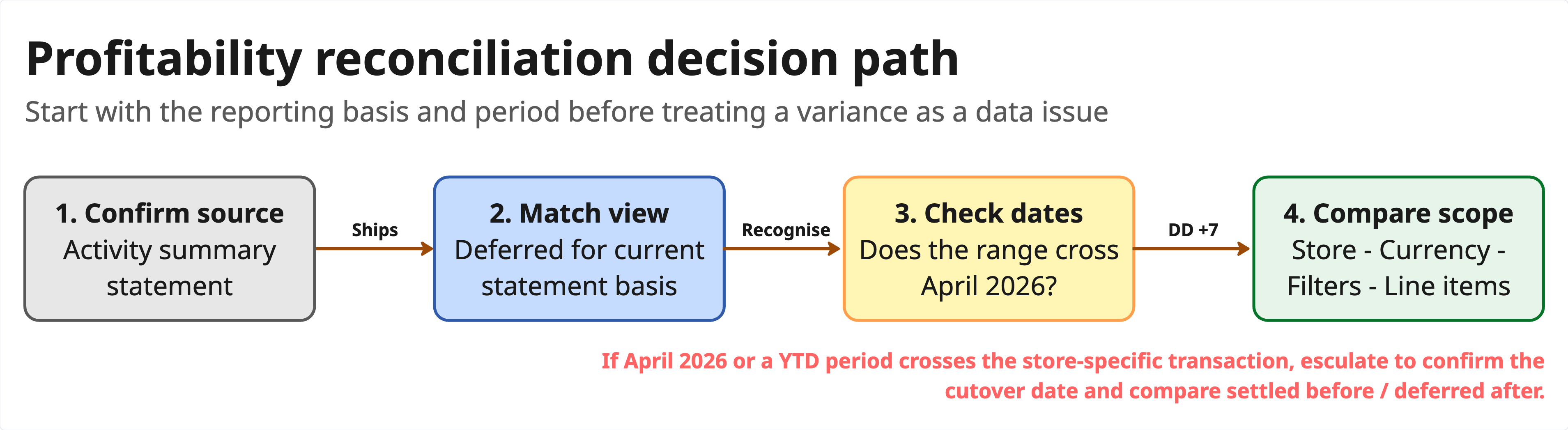 Conceptual example based on the product training session.
Important: Periods that include Amazon's 2026 reporting transition may require additional review.
Need help? Contact support@merchantspring.io and include the relevant account, store, reporting period and screenshots or exports.