![MS_Master_Horizontal_Reversed (1).png]](https://help.merchantspring.io/hs-fs/hubfs/MerchantSpring%20Logos/MS_Master_Horizontal_Reversed%20(1).png?height=30&name=MS_Master_Horizontal_Reversed%20(1).png)
Who can do this:
This setting is only available on the master account/owner role access.
If you don't have this access, you won't see the "Receive invoices via email" option on the My Account page. Ask whoever manages billing for your account to turn the setting on, or contact us, and we can point you to the right person.
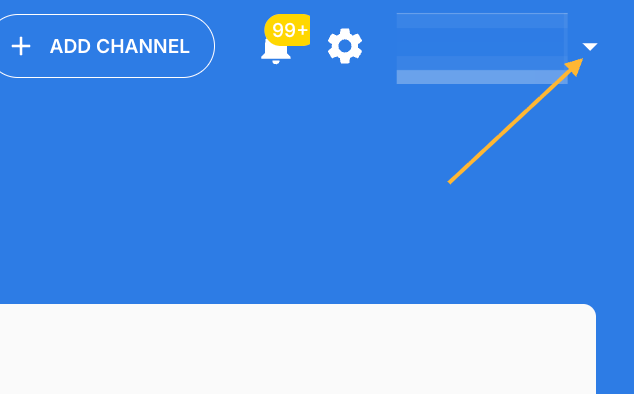
Step 1 — Open the profile menu
Click the down arrow beside your profile name in the top-right corner.
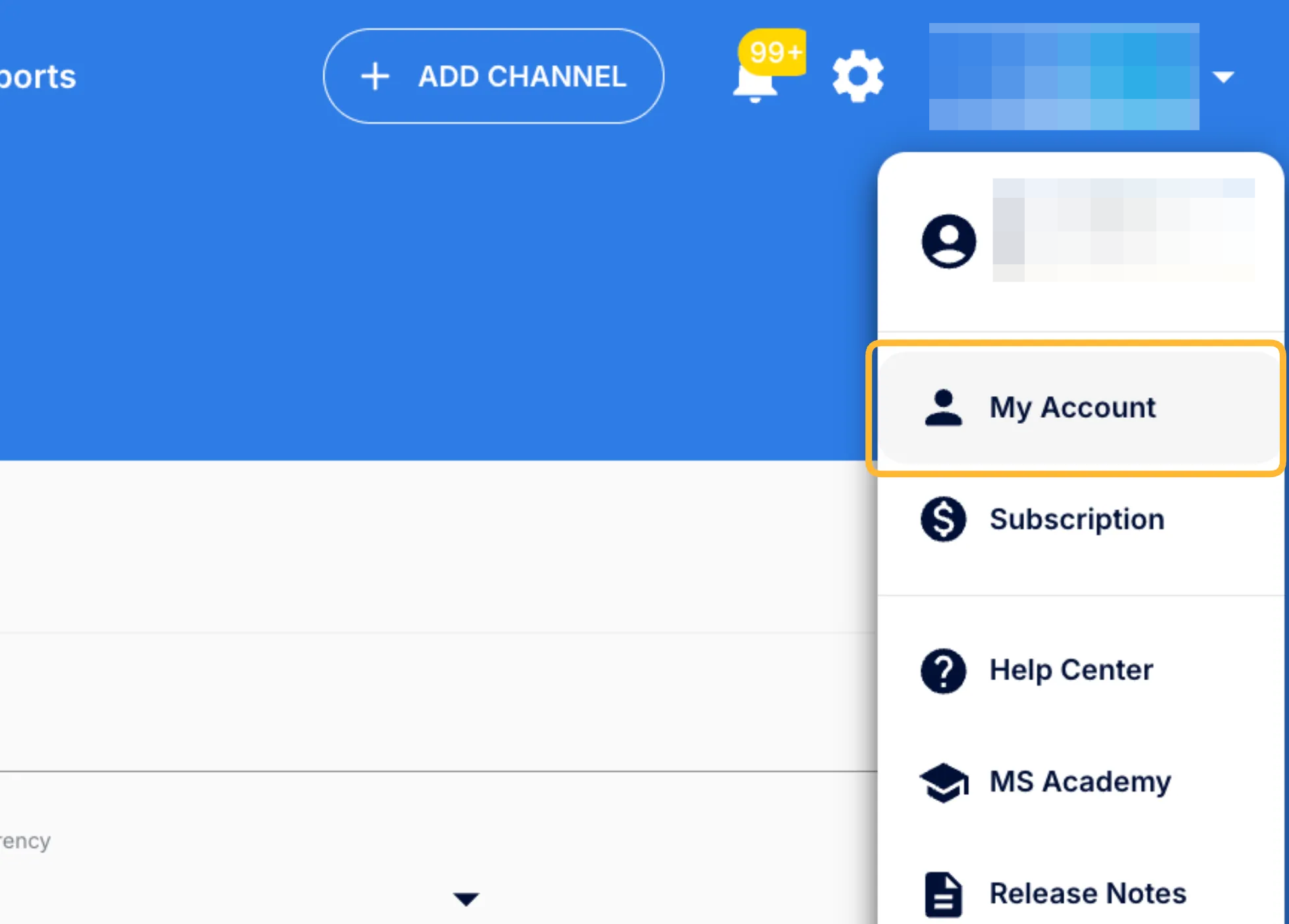
Step 2 — Click My Account
Select My Account from the menu.
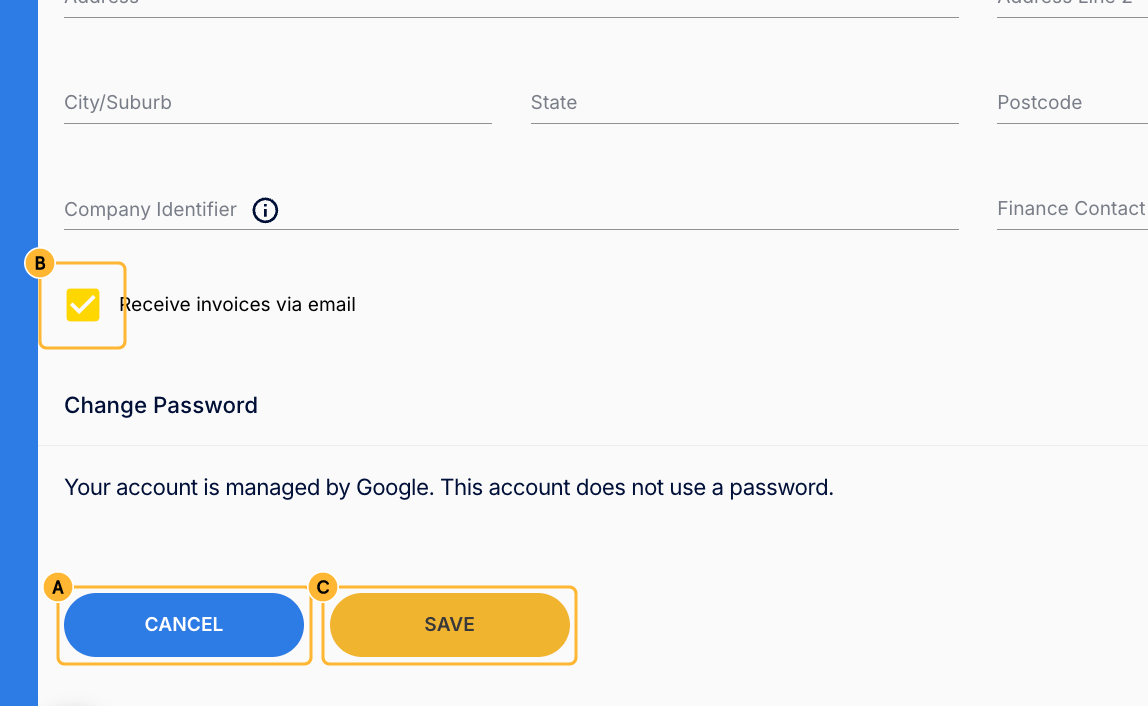
Step 3 — Turn on invoice emails
You'll land on the Account tab. Scroll to the bottom of the page, then:
a. Click Edit.
b. Under Billing Details, tick the checkbox for Receive invoices via email.
c. Click Save.
That's it. Your invoices will now be emailed to you automatically each billing period.
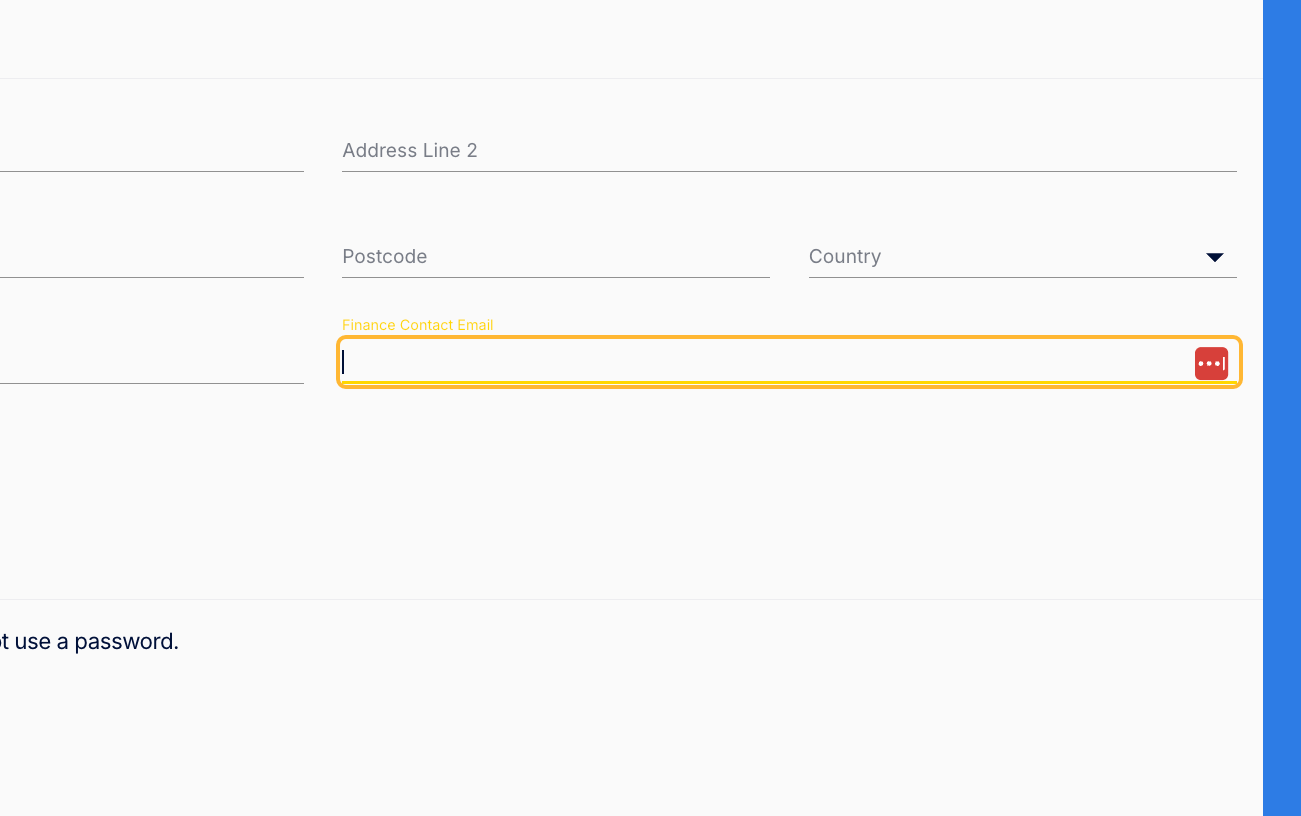
Changing the email address invoices are sent to:
To change the address your automatic invoices go to, update the Finance Contact Email field under Billing Details, then click Save.
Frequently asked questions
Which email address will invoices go to?
By default, invoices are sent to the master account email address. If you'd like them sent somewhere else — your finance team, for example — enter that address in the Finance Contact Email field under Billing Details, then click Save.
Can invoices go to more than one person?
No. Invoices are sent to a single address — either your master account email, or the address you've entered in the Finance Contact Email field.
When will I receive them?
Invoices are sent each billing period automatically. Allow up to 24 hours after your payment has been charged for the invoice to arrive.
How do I turn this off?
Follow the same steps and untick Receive invoices via email, then click Save.
Troubleshooting
I've enabled it, but no invoice has arrived. Invoices are sent when your next billing period generates one, so you won't receive anything immediately after turning the setting on. If a billing period has passed and nothing has arrived, check the Finance Contact Email address on your account, then your spam or junk folder, then contact us.
I can't find the Edit button. First, make sure you've scrolled right to the bottom of the My Account page.
If it still isn't there, you likely don't have the required access — this setting is only available on the master account, or to users with Owner role access. Ask whoever manages billing for your account to enable it, or contact us, and we can help.
Need help?
If you run into any issues or have questions, email us at support@merchantspring.com.au and we'll be happy to help.