![MS_Master_Horizontal_Reversed (1).png]](https://help.merchantspring.io/hs-fs/hubfs/MerchantSpring%20Logos/MS_Master_Horizontal_Reversed%20(1).png?height=30&name=MS_Master_Horizontal_Reversed%20(1).png)
The MerchantSpring API documentation and your API credentials are available in separate locations. The documentation is public, while your API key is unique to your authorised MerchantSpring user.
Where can I find the API documentation?Visit docs.merchantspring.io. The documentation includes endpoint descriptions, supported parameters, response examples, sample requests and interactive testing tools.
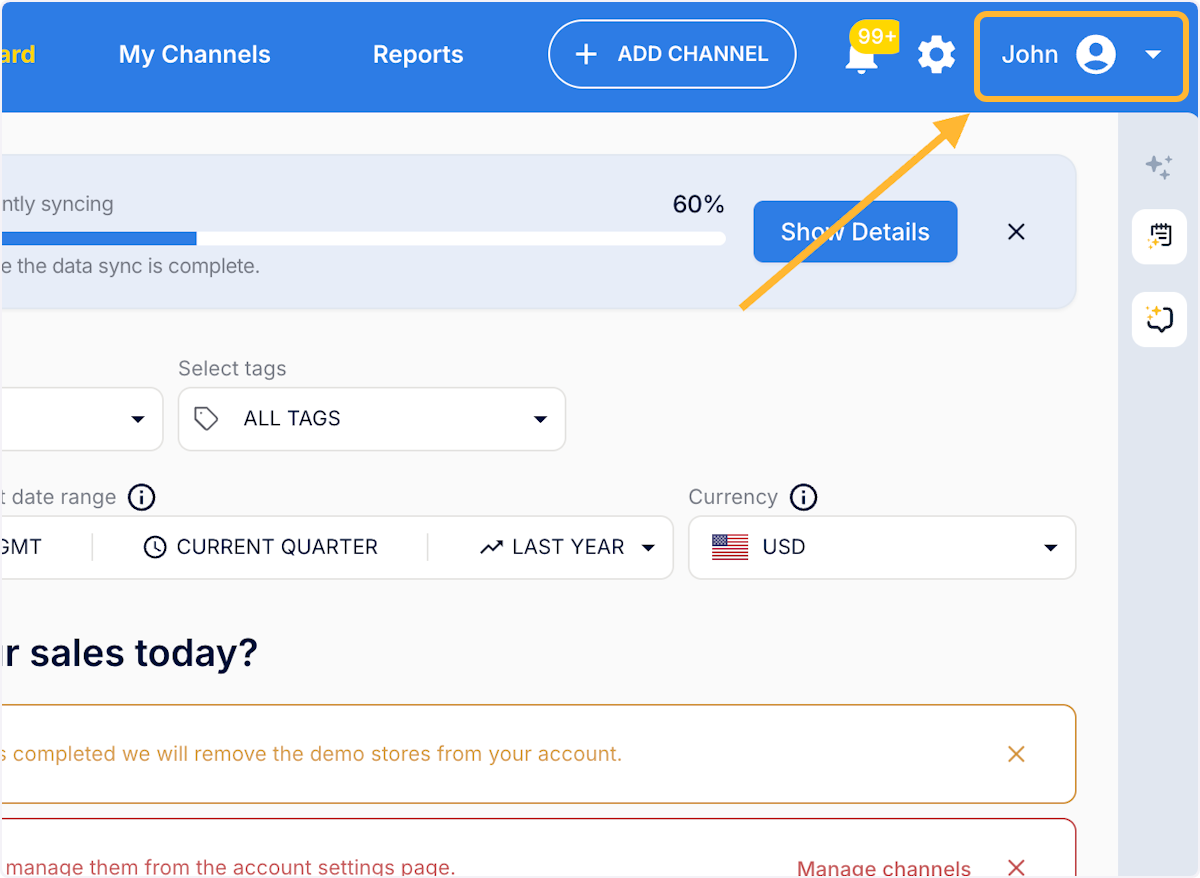
Where can I find my API key?- Log in to MerchantSpring & click on your name
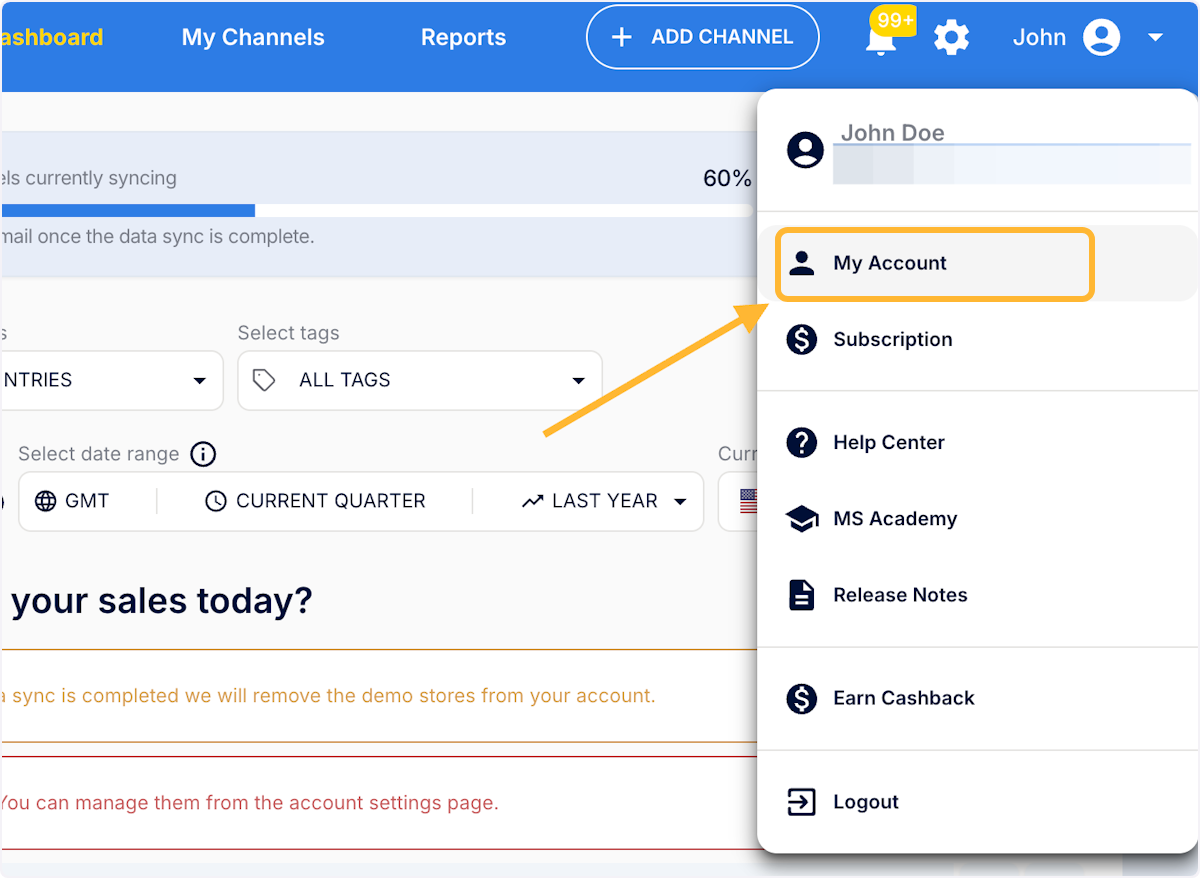
- Go to My Account
- Click on 'API' tab and see your API Key
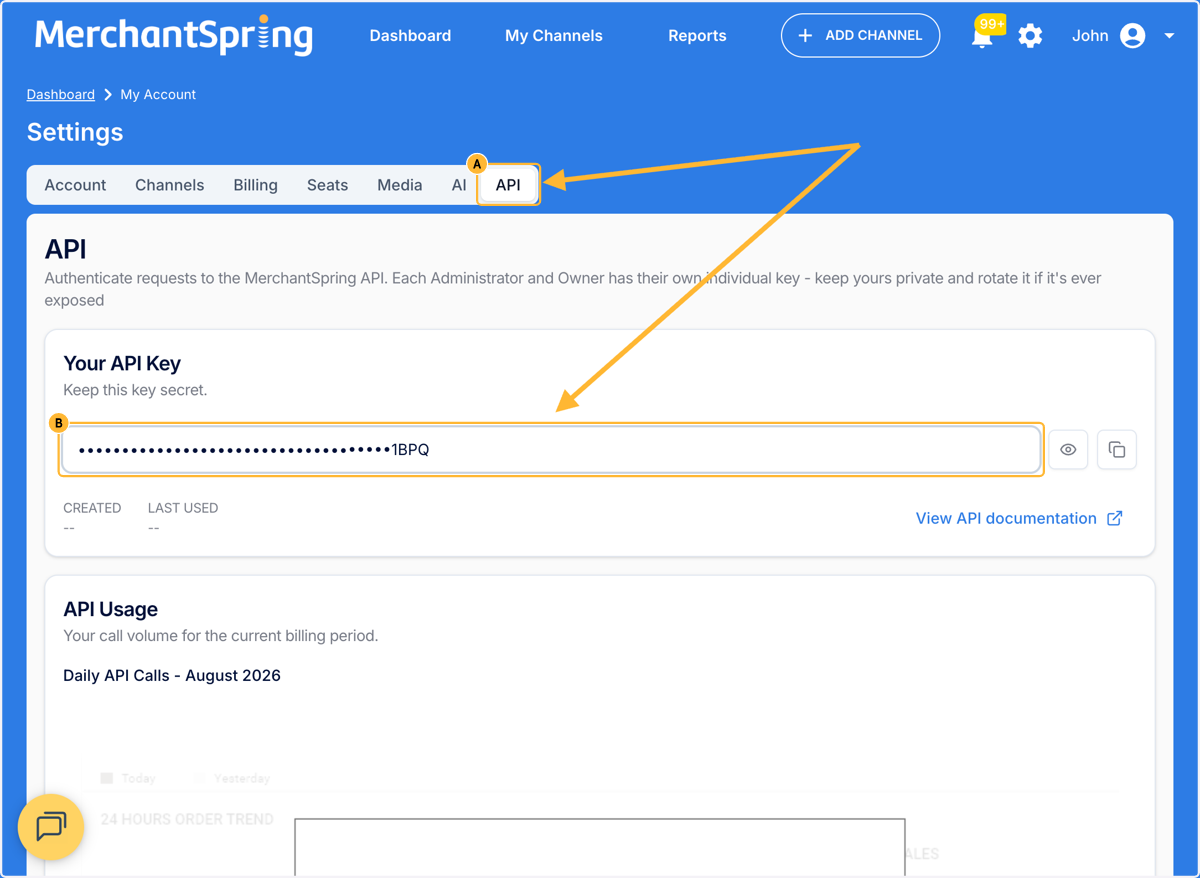
- Copy your key only when you are ready to add it to an authorised application
API access must be enabled for your user. If you cannot see an API key or the relevant setting, contact MerchantSpring Support to confirm your access and entitlement.
Important security noteYour API key provides access based on your MerchantSpring user and organisation permissions. Treat it like a password and never include the full value in email, chat, screenshots or support tickets.
Need more help? Contact MerchantSpring Support at support@merchantspring.io.